

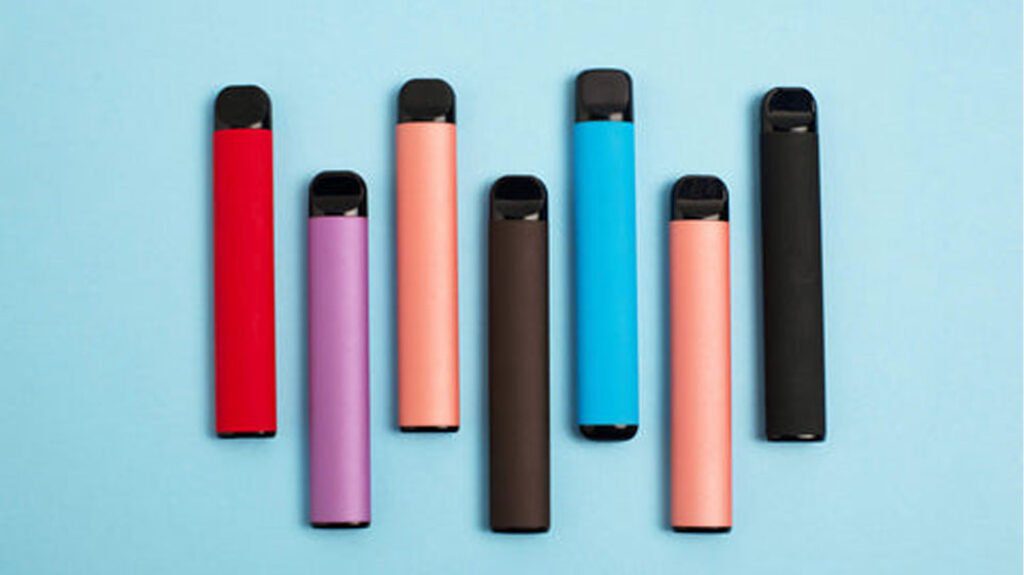
Why Your Disposable Vape Is Acting Up (and What to Do About It)
Disposables have gotten more complicated. Two years ago, most of them were simple draw-activated tubes with no buttons, no screens, and maybe 600 puffs. Now you have devices with LED displays, adjustable wattage, dual mesh coils, and puff counts north of 30,000. More features mean more things that can go wrong.
The good news: most problems have simple fixes. The better news: most of those fixes take under a minute. Here are the seven issues people run into most often, what causes them, and what you can actually do about each one.
1. Your Disposable Vape Will Not Hit
This is the number one complaint, and it breaks down into two scenarios.
Brand new out of the box
If you just pulled it from the packaging and nothing happens when you draw, start with the basics. Check that your fingers are not covering the airflow intake holes, usually located near the base of the device. These slots are what the airflow sensor uses to detect your draw. Cover them, and the device has no idea you are inhaling.
Still nothing? Some devices ship with a small sticker or plug covering the mouthpiece or airflow channel. Remove it. A few models also require a few primer puffs (short, gentle draws) to get the e-liquid flowing to the coil for the first time.
If you have checked all of that and it still will not fire, it is likely a factory defect. The failure rate on disposables varies by brand, but it is not zero. Return it to the shop and get a replacement. For more on this specific scenario, see our guide to brand-new vapes that will not work.
After you have been using it for a while
If the device was working and stopped, check whether the e-liquid is depleted. On models with a screen, this is obvious. On devices without a screen, a fading or muted flavor is usually the sign that the juice is running low.
If there is still e-liquid visible but the device will not produce vapor, the battery may be dead. On rechargeable models, plug it in via USB-C and try again after 15 to 20 minutes. If it is a non-rechargeable disposable and the battery is done, the device is done.
In some cases, the auto-draw sensor stops responding. Condensation or e-liquid can build up around the sensor and block it. A firm tap on a hard surface (mouthpiece-down) can sometimes dislodge the buildup. It is not guaranteed, but it works often enough to be worth trying.
2. Gurgling, Leaking, or Spitting E-Liquid
A gurgling sound when you draw means e-liquid has flooded the airflow channel instead of staying in the wick. You will usually notice juice in your mouth or leaking from the mouthpiece.
What causes it
Drawing too hard. This is the most common cause, especially for people switching from cigarettes. A cigarette requires a firm pull. A disposable vape does not. When you pull hard on a vape, you suck e-liquid straight through the wick and into the air path instead of letting the coil vaporize it.
Temperature changes also play a role. If a device sits in a hot car, the e-liquid thins out and can seep past the coil housing into the airflow. In cold weather, condensation builds up inside the air channel.
How to fix it
- Draw more gently. Take slow, steady puffs rather than sharp, forceful inhales. Think sipping through a straw, not chugging through a hose.
- Clear the airway. Hold the device mouthpiece-down over a tissue and give it a few firm taps. Excess liquid should drain out.
- Wipe the mouthpiece. If juice is pooling at the top, a quick wipe with a tissue usually handles it.
- Avoid temperature extremes. Do not leave your vape in a hot car or direct sunlight.
If the device keeps leaking from the bottom or the flooding will not stop despite gentle draws, the internal seals may be compromised. That is a manufacturing defect. Return it.
3. The Light Is Blinking
Blinking lights are how your vape talks to you. Different patterns mean different things.
| Blink Pattern | What It Means | What to Do |
|---|---|---|
| 3 blinks | Low or dead battery | Charge it (if rechargeable) or replace the device |
| 5 blinks | Puff timer cutoff or overheat protection | Take shorter puffs; wait a few seconds between draws |
| 10+ blinks or rapid flashing | Short circuit or internal error | Stop using the device; it may be defective |
| Continuous blink (no vapor) | Battery fully depleted | Charge or replace |
| Screen flashing 0% | Battery or e-liquid at zero | Charge the device; if e-liquid is at 0%, the device is spent |
A few things to keep in mind. The puff count on the box is an estimate. If you take long, deep draws, you will burn through both battery and e-liquid faster than the rating suggests. For a deeper dive into what blinking lights mean on specific devices, see our troubleshooting guide for vapes that light up but will not hit.
4. Burnt Taste or Dry Hits
A burnt hit tastes exactly like it sounds: harsh, acrid, and distinctly unpleasant. It happens when the coil heats up but the wick feeding it is too dry to produce vapor, so the cotton itself chars.
Why it happens
- Chain vaping. Every puff partially dries the wick near the coil. It takes a few seconds for e-liquid to flow back in from the reservoir. If you do not give it time, you are vaping dry cotton.
- Low e-liquid level. When the tank is nearly empty, the wick cannot draw enough liquid to stay saturated. This is especially common in the last 10 to 15 percent of a device’s life.
- High wattage on a near-empty device. If you are running boost mode or high wattage when the e-liquid is low, you will burn through what little juice reaches the coil almost instantly.
How to prevent it
Wait 5 to 10 seconds between puffs. If the device has adjustable wattage, drop it to the lower setting when you are past the halfway mark on e-liquid. If the burnt taste persists even at low wattage and slow pacing, the device is probably out of juice. Time for a new one.
One thing that will not help: tilting or shaking the device. Unlike older vape hardware where you could reposition the wick, most disposables have sealed juice chambers. There is nothing to redistribute.
5. Weak Hits or No Flavor
Everything fires, but the vapor is thin, the flavor is muted, or both.
Common causes and fixes
- Puffing too fast. Same root cause as dry hits. The wick does not have time to resaturate, and the coil cannot vaporize enough liquid per draw. Slow down.
- Low battery. When the battery voltage drops, the coil does not get hot enough to produce full vapor. Charge the device and try again.
- Air bubbles in the wick. Sometimes an air pocket forms between the e-liquid and the wicking material, blocking juice flow. Hold the device mouthpiece-down and tap it firmly on a table a few times. This can dislodge the bubble and restore flow.
- Wrong nicotine strength. If the throat hit is missing entirely and you are on 2% (20 mg/ml), you might need 5% (50 mg/ml) for that sensation. Nicotine strength affects perceived “strength” of the hit, not just the nicotine dose.
- Device design limitations. Disposables are compact. They do not have the large batteries, high-wattage coils, or wide airflow that box mods use to produce massive clouds. If you want bigger vapor production, a mod kit is the way to go.
6. The LED Screen Is Blank or Glitching
This one only applies to the newer generation of disposables with digital screens (Geek Bar Pulse, RAZ TN9000, VooPoo NEXA, etc.). If the screen goes dark or displays incorrectly:
- Check the battery first. A dead battery will kill the display. Plug it in and wait. Most screens come back to life once the charge hits around 5 percent.
- Check for condensation. Moisture inside the device can interfere with the screen connection. If the device has been in a humid environment or you have been vaping in the rain, this is a likely culprit. There is not much you can do about it beyond letting the device dry out.
- Brand new and the screen is dead? That is a defect. Do not try to fix it. Return it for a replacement.
7. Wattage or Mode Adjustment Is Not Working
Many 2026 disposables offer two or more power modes, usually toggled by pressing a button or swiping on the screen. If you cannot switch modes:
- Low battery. Most devices lock out mode switching below a certain charge level to protect the battery. Charge it first.
- You may be in a lockout state. Some devices enter a temporary lock after a set number of puffs in rapid succession (overheat protection). Wait 30 seconds and try again.
- Button or sensor malfunction. If the button press is not registering at all, the switch may be defective. Contact the retailer.
Quick Diagnosis Table
| Symptom | Most Likely Cause | First Thing to Try |
|---|---|---|
| No vapor, no light | Dead battery or DOA unit | Charge it; check airflow holes |
| Gurgling or juice in mouth | Drawing too hard | Puff more gently; tap device on tissue |
| Blinking 3 times | Low battery | Charge or replace |
| Blinking 5 times | Overheat / puff cutoff | Wait and take shorter puffs |
| Burnt taste | Dry wick / chain vaping | Wait 5 to 10 seconds between puffs |
| Weak or no flavor | Low battery or air bubble | Charge; tap mouthpiece-down |
| Screen blank | Dead battery | Charge the device |
| Mode will not switch | Low battery or lockout | Charge; wait 30 seconds |
A Safety Note
Do not take apart a disposable vape to fix it. These devices contain lithium-ion batteries and sealed e-liquid chambers. Puncturing the battery can cause a fire. Opening the juice chamber exposes you to concentrated nicotine. If a device is genuinely broken and the fix is not one of the steps above, the correct move is to return it or dispose of it safely. For disposal guidance, see our guide to recycling used vapes.
When to Give Up and Get a New One
Not every problem is fixable. Here is when you should stop trying:
- The device is brand new and will not fire after you have confirmed the airflow is clear and you have taken several primer puffs.
- The device is leaking from the bottom and the leak persists despite gentle draws.
- The battery blinks rapidly (10+ times) and will not charge, or the device gets unusually hot while charging.
- The screen is dead on a brand-new device.
In all of these cases, return the device to the point of purchase. Most reputable vape shops will exchange a DOA unit without argument. Buying from authorized retailers, rather than random online sellers, makes this process a lot easier.
For more on choosing a reliable device in the first place, check out our list of the best disposable vapes and our complete guide to what disposables are and how they work.
Related: For a deep dive into disposable vape blinking codes and what each pattern means, check our complete disposable vape blinking fix guide with a quick-reference cheat sheet.


Build your vape knowledge
Read more guides
Find explainers, how-to articles and reference material.
Open guide library →Compare vape products
Check specifications across the product database.
Open product data →Read hands-on reviews
See tested devices and documented trade-offs.
Read review coverage →