

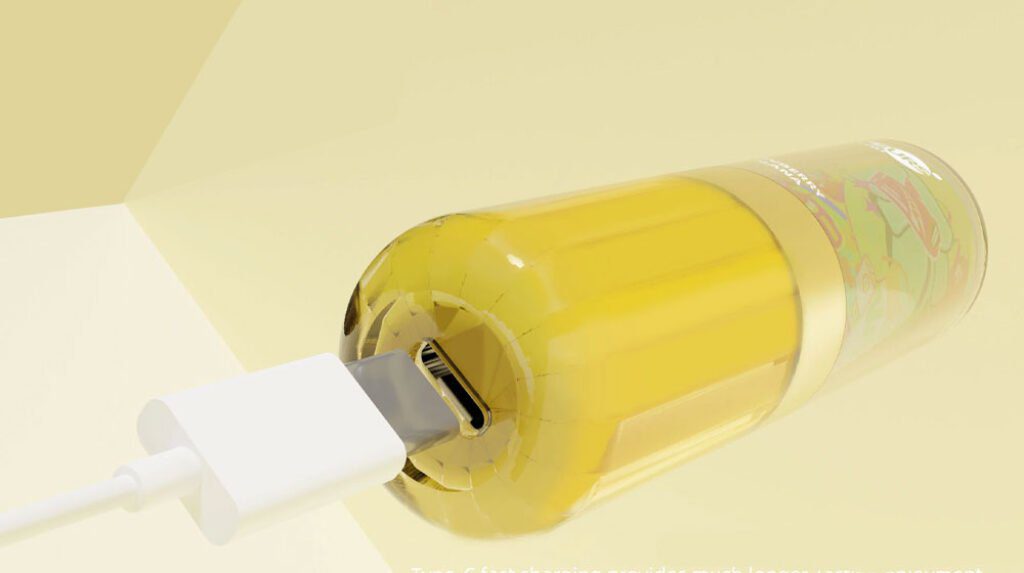
How to Recharge a Disposable Vape: Step-by-Step Guide (2026)
If you picked up a disposable vape recently, there is a very good chance it came with a USB-C charging port. The market has shifted hard. Back in 2023, rechargeable disposables were still a novelty. Now, in 2026, nearly every high-puff disposable on the shelf is designed to be recharged. So if you are wondering how to recharge a disposable vape, the short answer is: plug it in, just like your phone. But there is more to it than that, and getting it wrong can damage your device or create a safety hazard.
This guide covers everything you need to know about how to recharge a disposable vape safely and correctly. We will walk through which disposables can be recharged, step-by-step charging instructions, charge times by model, what happens if you try charging one that was never meant to be charged, troubleshooting common issues, and the safety rules that actually matter. We will also get into the environmental side of disposable vapes and the UK ban that took effect in 2025.
The Quick Answer: Can You Recharge a Disposable Vape?
Yes, if your disposable vape has a charging port, you can recharge it. If it does not have one, do not even think about trying. That is the entire rule, and it is not complicated.
Here is the reality of the 2026 market: almost every disposable vape rated for 5,000 puffs or more comes with a built-in rechargeable battery and a USB-C port. The battery in these devices is big enough to outlast the e-liquid supply, so you will need to recharge it several times before the juice runs out. A 15,000-puff device might need 5 to 8 full charges over its lifespan. That is just how these products work now.
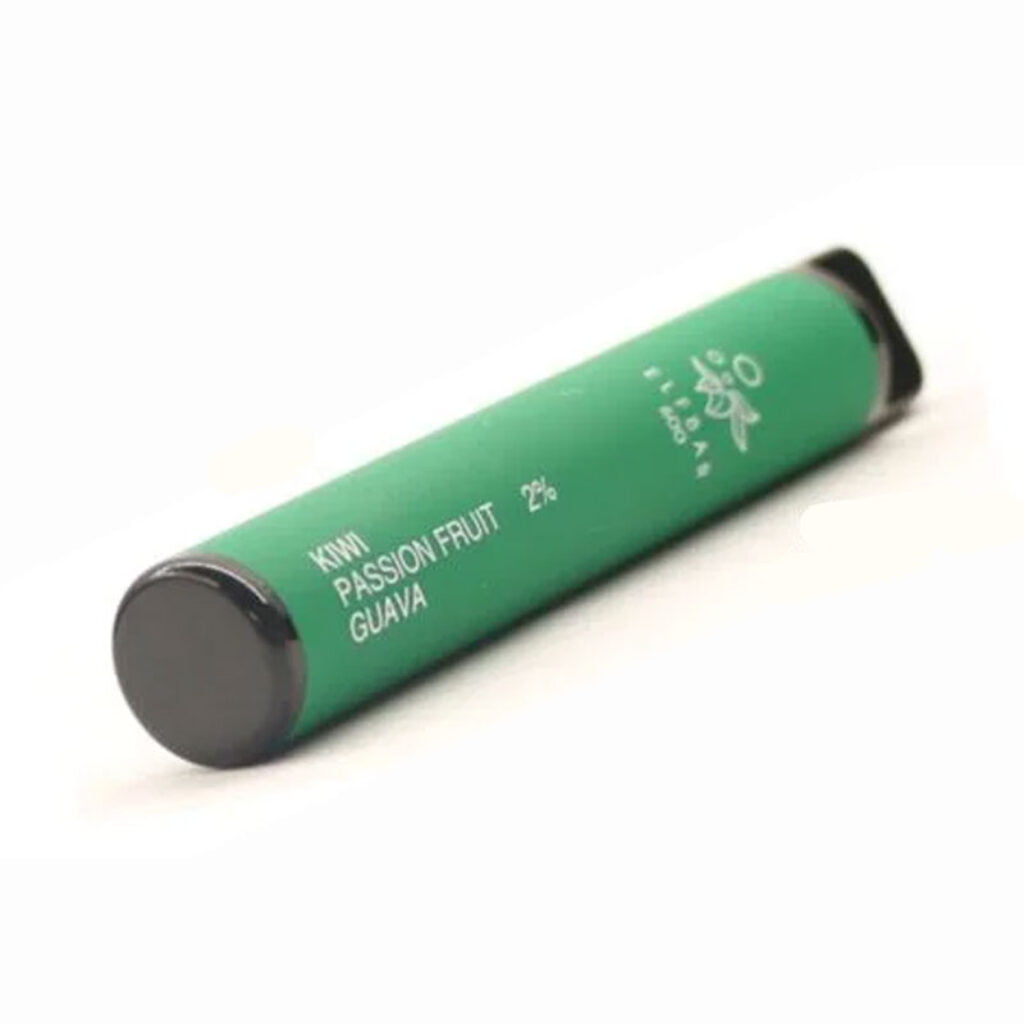
On the flip side, low-puff disposables (under 3,000 puffs) often still ship without a charging port. The battery is sized to last roughly as long as the e-liquid, so there is no port because you are not expected to need one. These are the ones you should never attempt to recharge.
Rechargeable vs. Non-Rechargeable at a Glance
| Feature | Rechargeable Disposable | Non-Rechargeable Disposable |
|---|---|---|
| Charging port | USB-C (standard in 2026) | None |
| Typical puff count | 5,000 to 75,000+ | 300 to 3,000 |
| Battery capacity | 600 to 1,000mAh | 300 to 500mAh |
| Charge cycles needed | 5 to 15 over device life | Zero (single use) |
| Market trend (2026) | Dominant and growing | Declining, being phased out |
| Can you recharge it? | Yes, that is what the port is for | Absolutely not |
If you are shopping for a new device and want something that lasts, check out our guide to the best disposable vapes currently available. Every model on that list with 5K+ puffs is rechargeable.
How to Know If Your Disposable Vape Is Rechargeable
Before you try to recharge a disposable vape, you need to confirm it was designed for it. Here are the four ways to check.
1. Look for a Charging Port
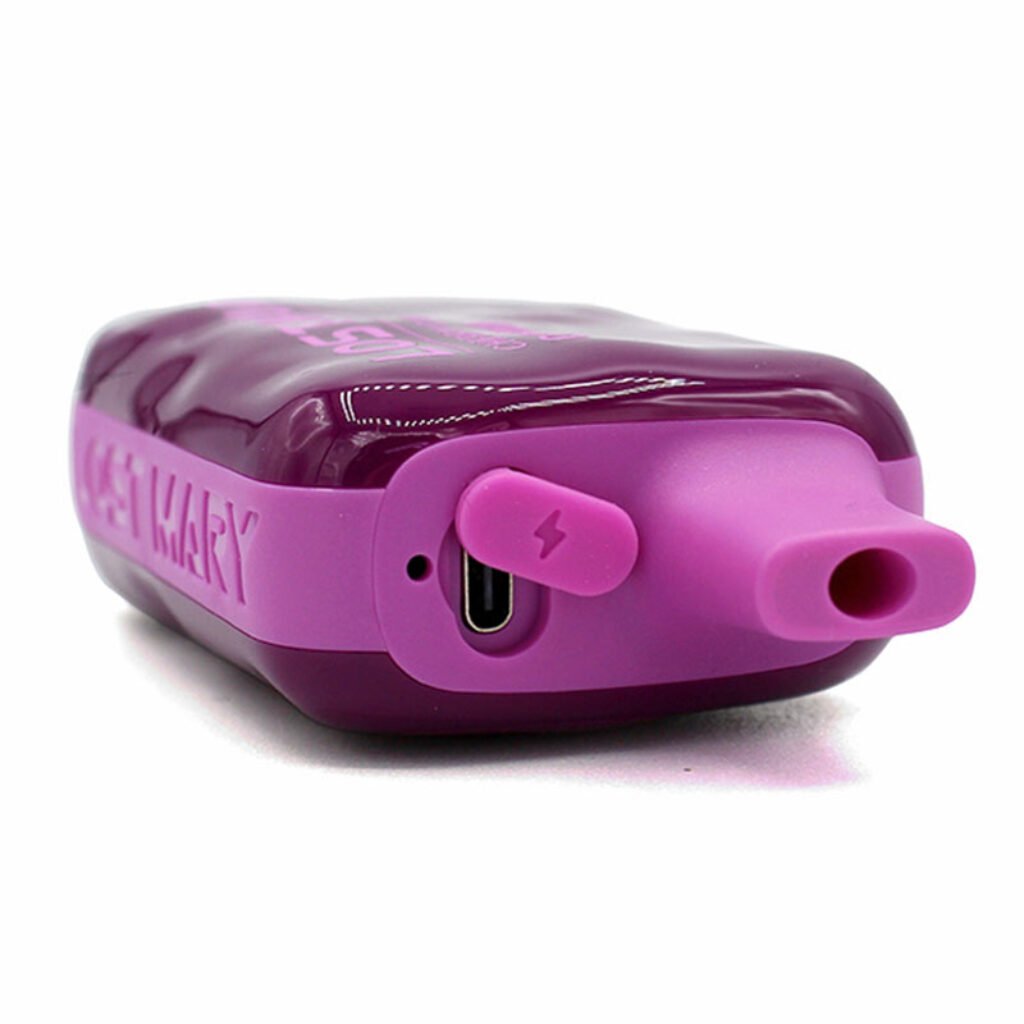
This is the easiest and most reliable check. Turn the device over and look at the bottom edge (most commonly) or sometimes the side. If you see a small rectangular connector that looks like the port on your Android phone or iPad, that is a USB-C port. Your vape is rechargeable.
In 2026, USB-C is the universal standard. A few older or budget models might still use micro-USB, but that is increasingly rare. If you see a micro-USB port, the device is rechargeable too, just with an older connector type. If you do not see any port at all, the device is not rechargeable. Period.
2. Check the Puff Count
Puff count is a strong indicator. If the packaging says 5,000 puffs or more, the device almost certainly has a rechargeable battery. The math is simple: a small battery that fits in a disposable cannot power 15,000 puffs on a single charge. Manufacturers include a charging port because the battery will die long before the e-liquid runs out.
Under 3,000 puffs, most devices are single-charge and non-rechargeable. Between 3,000 and 5,000, it varies by brand.
3. Read the Packaging
The box or wrapper will usually say “rechargeable” if the device supports it. Look for phrases like “USB-C rechargeable,” “rechargeable battery,” or a small icon of a charging cable. If the packaging mentions a battery capacity in mAh (like “650mAh battery”), that is another sign it is rechargeable. Non-rechargeable disposables rarely list battery specs on the box.
4. Know the Brand
Most major brands in 2026 produce rechargeable disposables. If you have a device from any of these brands, it is almost certainly rechargeable (check for the port to confirm):
- Geek Bar (Pulse, Pulse X, Skyview, and most other models)
- Lost Mary (MO20000 and the broader lineup)
- Raz (TN9000, DC25000)
- Flum (Mello Pro and newer models)
- OXBAR (Maglink series)
When in doubt, do not charge it. A non-rechargeable disposable vape has no built-in charging circuit or overcharge protection. Connecting it to power is genuinely dangerous, and we will get into why later in this guide.
Step-by-Step: How to Recharge Your Disposable Vape
Now let us get into the actual process. Charging a disposable vape is straightforward, but doing it right extends the life of your device and avoids common problems.
Step 1: Locate the Charging Port
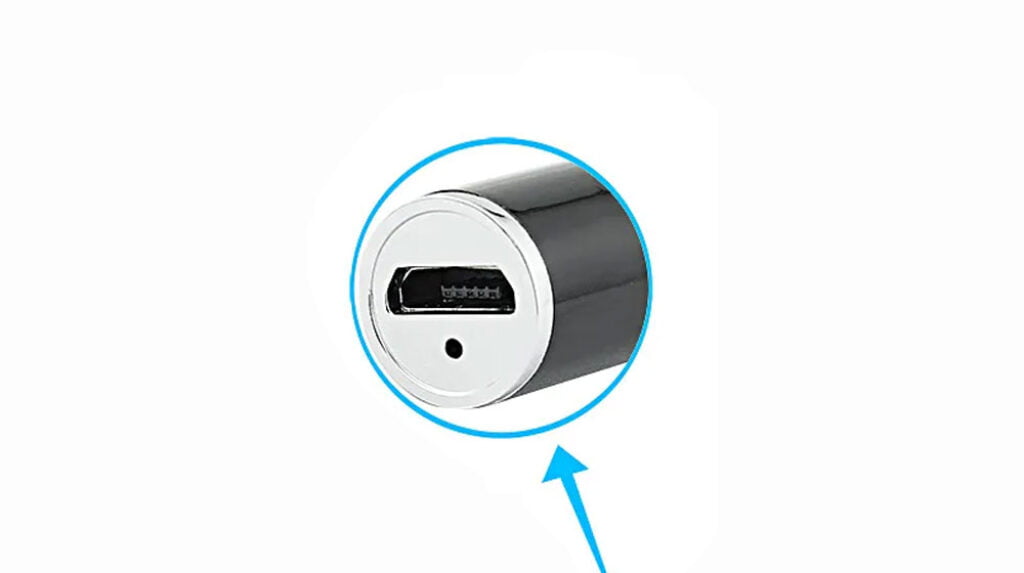
On most rechargeable disposables, the USB-C port is on the bottom of the device, sometimes tucked into a small recessed area. On a few models, it might be on the side. Take a quick look around the device and find it. If the port looks damaged, corroded, or has e-liquid residue in it, clean it gently with a dry cotton swab before plugging anything in.
Step 2: Choose the Right Cable
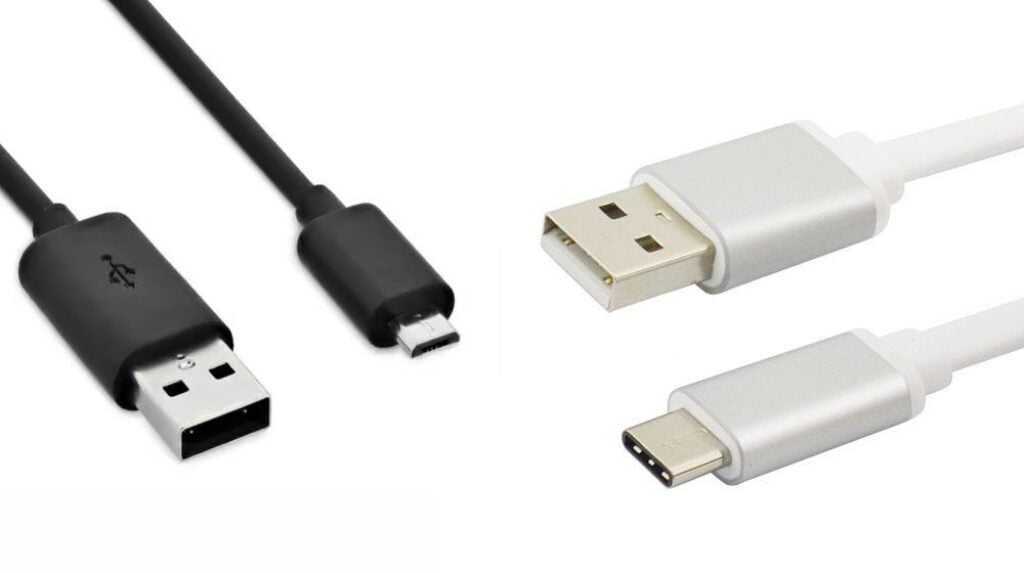
Use the USB-C cable that came with the device if one was included. If not, any standard USB-C cable will work. You do not need anything special or high-end here. The cable that came with your phone is fine.
What you do need to pay attention to is the power adapter. Do not use a fast-charging brick. Most disposable vape batteries are designed for standard 5V/1A or 5V/2A charging. A fast charger pushes more voltage and current than these small batteries are built to handle. Use a basic wall adapter, a USB port on your computer, or a standard power bank.
Step 3: Connect and Plug In
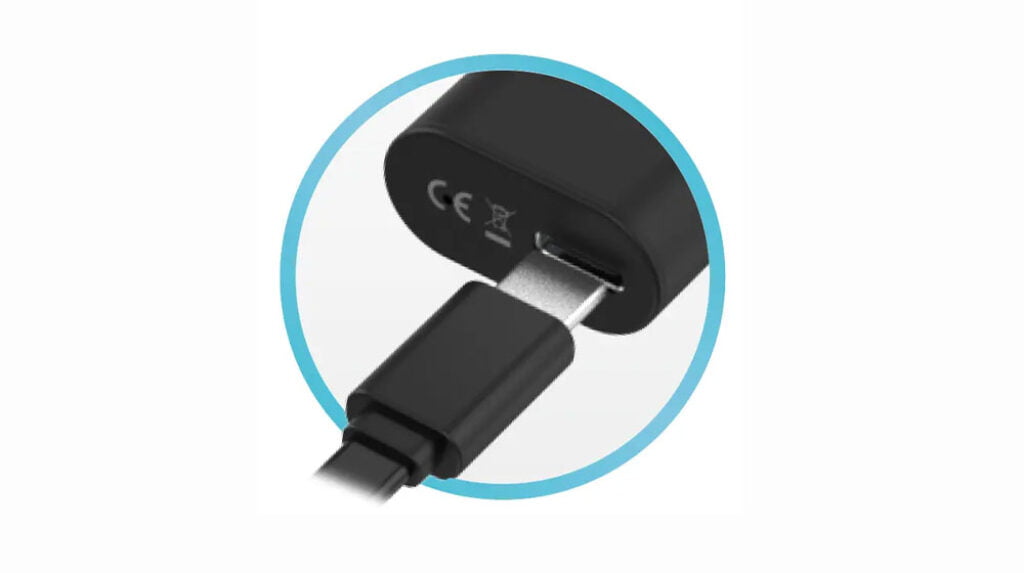
Insert the USB-C connector gently into the vape’s port. It should slide in smoothly without forcing it. If it feels resistant, check that you have the connector oriented correctly. USB-C is reversible, so there is no “upside down,” but debris or a bent pin inside the port can cause resistance. Forcing it can damage the port permanently.
Once connected, plug the other end into your power source. A USB-A port on a laptop works great. A basic wall charger is also fine. Just avoid the 20W+ fast-charge adapters.
Step 4: Monitor the Charging Process
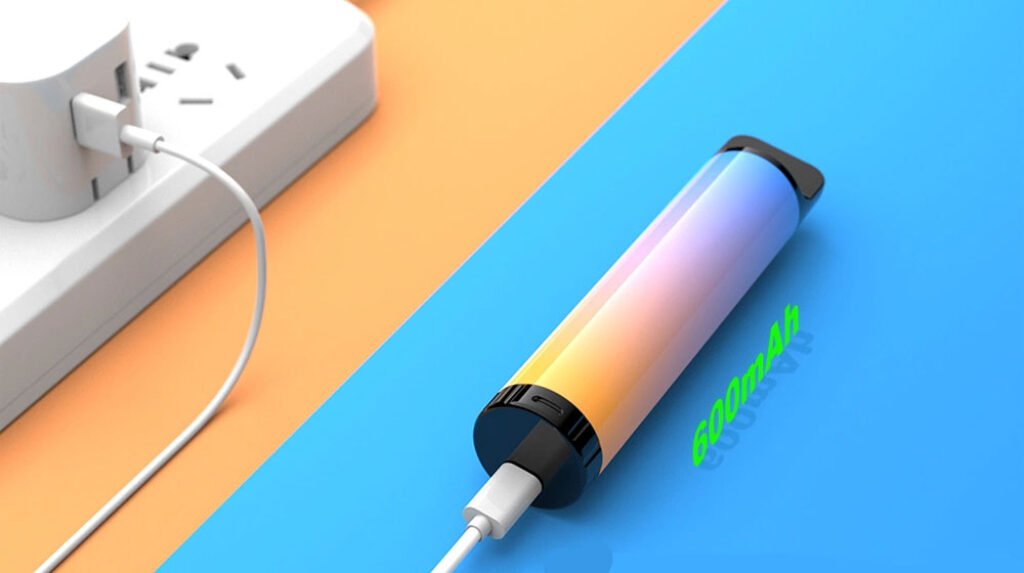
Once plugged in, most rechargeable disposables will give you a visual signal that charging has started. Usually this is an LED light that turns on, blinks, or changes color. Here is what to look for:
- LED blinks while charging, then stays solid or turns off when done: This is the pattern on most Geek Bar, Raz, and Flum models.
- LED is red/orange while charging, turns green when full: Common on Lost Mary and some OXBAR devices.
- Screen displays battery percentage: Higher-end models like the Geek Bar Pulse X and Skyview have small screens that show the exact charge level.
Typical Charge Times by Battery Capacity
| Battery Capacity | Typical Charge Time | Common Models |
|---|---|---|
| 600mAh | 30 to 40 minutes | Geek Bar Pulse, Raz TN9000 |
| 650mAh | 35 to 45 minutes | Geek Bar Pulse (original), Raz TN9000 |
| 800mAh | 45 to 55 minutes | Geek Bar Pulse X, Lost Mary MO20000, Raz DC25000 |
| 900mAh | 50 to 60 minutes | OXBAR Maglink 75K |
| 1,000mAh | 55 to 65 minutes | Geek Bar Skyview, Flum Mello Pro 50K |
These times assume you are using a standard 5V/1A or 5V/2A charger. Using a lower-power source like a computer USB port might add 10 to 15 minutes. Using a fast charger will not meaningfully speed things up because the device’s charging circuit regulates the input anyway, but it can generate excess heat and stress the battery.
Step 5: Disconnect When Fully Charged
When the LED indicator shows a full charge (solid green, or the screen reads 100%, or the blinking stops), unplug the cable. Do not leave the device connected to power for hours after it is fully charged. While modern rechargeable disposables do have basic overcharge protection, it is not as robust as what you find in a smartphone. Leaving it plugged in overnight or for extended periods stresses the battery and can shorten its overall lifespan.
Disconnect the cable from the vape first, then from the power source. This is just a good habit that reduces wear on the vape’s port over time.
Charge Times and Battery Life by Popular Model
Not all rechargeable disposable vapes are the same. Battery capacity, charging speed, and the number of recharges you will need all vary by model. Here is a breakdown of the most popular rechargeable disposables available in 2026.
| Model | Battery | Charge Time | Approx Puffs | LED Type |
|---|---|---|---|---|
| Geek Bar Pulse | 650mAh | ~45 min | 15,000 | LED battery indicator |
| Geek Bar Pulse X | 820mAh | ~60 min | 25,000 | Full-screen display |
| Geek Bar Skyview | 1,000mAh | ~60 min | 28,000 | Screen + dual mesh coils |
| Lost Mary MO20000 | 800mAh | ~50 min | 20,000 | LED indicator |
| Raz TN9000 | 650mAh | ~45 min | 9,000 | LED indicator |
| Raz DC25000 | 800mAh | ~55 min | 25,000 | LED + screen |
| Flum Mello Pro 50K | 1,000mAh | ~60 min | 50,000 | LED indicator |
| OXBAR Maglink 75K | 900mAh | ~60 min | 75,000 | LED + display |
How Many Times Will You Recharge?
The number of times you need to recharge depends on the ratio of battery capacity to e-liquid volume. A device with a small battery and a huge e-liquid reservoir will need more charges. A device where the battery closely matches the juice supply will need fewer.
As a rough guide:
- Geek Bar Pulse (15K puffs, 650mAh): expect 5 to 7 recharges over the device’s life
- Geek Bar Pulse X (25K puffs, 820mAh): expect 8 to 12 recharges
- Geek Bar Skyview (28K puffs, 1000mAh): expect 8 to 10 recharges
- Lost Mary MO20000 (20K puffs, 800mAh): expect 7 to 10 recharges
- Raz TN9000 (9K puffs, 650mAh): expect 3 to 5 recharges
- Raz DC25000 (25K puffs, 800mAh): expect 8 to 12 recharges
- Flum Mello Pro 50K (50K puffs, 1000mAh): expect 15 to 20 recharges
- OXBAR Maglink 75K (75K puffs, 900mAh): expect 20 to 30 recharges
These are estimates. Your actual recharge count depends on how deeply you inhale, how frequently you vape, and whether you use the device’s power modes (if it has them). Devices with adjustable wattage or “regular” versus “boost” modes will drain the battery faster on higher settings.
If you are comparing devices and want to understand the broader landscape, our guide on how to vape covers the basics, and our vape pricing breakdown helps you compare costs across device types.
LED Color Meanings on Popular Models
Most rechargeable disposables use LED colors to communicate battery status. While the exact meanings vary by manufacturer, the general pattern is consistent across most brands:
| LED Color | Typical Meaning |
|---|---|
| Green | Battery is fully charged or above 70% |
| Yellow / Amber | Battery is at medium level, around 30-70% |
| Red | Battery is low, below 30%, recharge soon |
| Blinking Red (fast) | Battery critically low, charge immediately |
| Blinking White/Blue | Device is actively charging (on most models) |
| Solid White/Blue | Charging complete (varies by brand) |
Devices with screens (Geek Bar Pulse X, Skyview, Raz DC25000, OXBAR Maglink) take the guesswork out entirely by showing a numeric battery percentage. If your device has a screen, just check the number. Anything above 20% and you are fine. Below 10%, plug it in soon.
What Happens If You Try to Recharge a Non-Rechargeable Vape
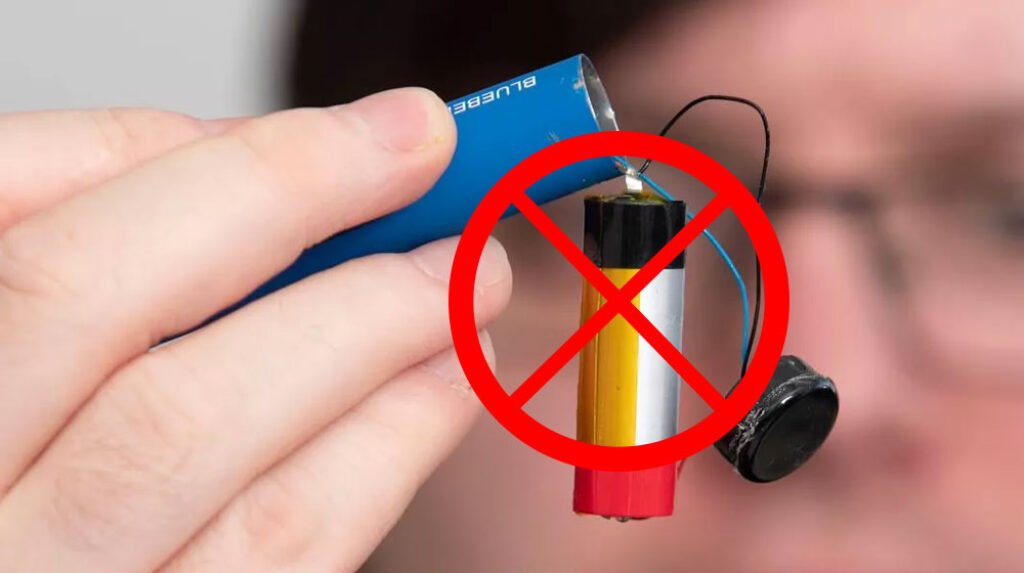
This section is important. If your disposable vape does not have a charging port, do not try to charge it. We are not being cautious for the sake of it. The risk is real.
Why It Is Dangerous
Non-rechargeable disposables use lithium batteries that were never designed to be recharged. They lack the charging circuit that regulates voltage and current during charging. That circuit is not optional. Without it, there is nothing to stop the battery from overcharging, overheating, or going into thermal runaway.
Thermal runaway is what happens when a lithium battery overheats to the point where the chemical reaction inside becomes self-sustaining. The battery gets hotter, the reaction accelerates, and the battery can vent hot gas, catch fire, or explode. This is not theoretical. The FDA has documented cases of vape battery explosions causing burns, facial injuries, and property damage.
The DIY Tampering Problem
There are tutorials online showing how to open up a non-rechargeable disposable vape, strip wires, and connect the battery directly to a USB cable. This is wildly unsafe. You are bypassing every safety mechanism (limited as they may be) and connecting a raw lithium cell directly to a power source with no regulation at all.
The people posting these tutorials often say “just be careful” or “it worked for me.” That is survivorship bias. The ones whose devices caught fire or exploded are not posting success stories. They are dealing with burns and property damage.
Why People Try It
The most common reason is frustration. You have a non-rechargeable disposable that still has e-liquid in it, but the battery died. It feels wasteful to throw it away with juice still inside. We get it. But the fix is not to hack open the device and jury-rig a charging connection. The fix is to buy a rechargeable disposable vape next time. They cost roughly the same as non-rechargeable models and you will never have this problem again.
The Bottom Line
- No charging port on your device? Do not try to recharge it.
- Do not open the device to access the battery.
- Do not follow DIY tutorials that involve stripping wires or modifying the device.
- The risk of fire, explosion, and chemical burns is real, not hypothetical.
- If you want a vape you can recharge, buy one that was designed for it.
If you are new to vaping and want to understand the basics before choosing a device, our how to vape guide is a good starting point. For those weighing their options between device types, our comparison of nicotine levels in vapes and MTL vs DTL vs RDL vaping can help you pick the right setup.
Troubleshooting: When Your Vape Won’t Charge
Sometimes a rechargeable disposable vape just will not charge. Before you toss it, run through this checklist. A lot of charging problems have simple fixes.
The Cable Is Not Seated Properly
This is the most common issue. The USB-C connector might look like it is plugged in but is not making full contact. Unplug it, check for debris in the port, and reinsert it firmly. You should feel a slight click or snug fit when it is properly seated. If the connection feels loose, try a different cable.
Debris or E-Liquid in the Port
Disposable vapes live in pockets, bags, and cupholders. The charging port can collect lint, dust, pocket debris, and sometimes e-liquid that has leaked from the reservoir. Use a dry wooden toothpick or a dry cotton swab to gently clean out the port. Do not use metal objects (paper clips, pins) because you can short the contacts inside the port or damage the pins.
Wrong Charger or Power Source
Some devices will not initiate charging if they detect an incompatible power source. If you are using a fast-charging brick, try switching to a standard 5V wall adapter or a computer USB port. Some smart chargers with power negotiation protocols can confuse the simple charging circuit in a disposable vape.
Damaged Charging Port
If the port looks bent, corroded, or has visible damage, it may not make proper contact. Unfortunately, this is usually not repairable. The charging ports on disposable vapes are small and not designed to be serviced. If the port is physically damaged, the device is done.
Battery Is Completely Dead
If a rechargeable disposable has been sitting unused for weeks or months with a completely depleted battery, it may not accept a charge. Lithium batteries have a minimum voltage threshold. If the battery voltage drops too low, the charging circuit will refuse to initiate charging as a safety measure. This is actually a good thing (it prevents charging a damaged cell), but it means your device is finished.
E-Liquid Leaked Into the Port
If e-liquid has leaked into the charging port, it can prevent the electrical contacts from making a connection and can also cause corrosion over time. Clean the port thoroughly with a dry cotton swab. If the liquid has dried and crystallized, a tiny amount of isopropyl alcohol on a cotton swab can help dissolve it. Let the port dry completely before attempting to charge.
When to Give Up and Replace
If you have tried multiple cables, cleaned the port, switched power sources, and the device still will not charge, it is time to replace it. Disposable vapes are not repairable. There are no user-serviceable parts inside, and the cost of replacing one is far lower than the risk of trying to force a damaged device to charge. Check vape deals for discounts on replacements, or visit a local vape shop if you need something right away.
Charging Safety: Rules That Actually Matter
Charging a disposable vape is not dangerous if you follow a few basic rules. Most vape battery incidents are caused by ignoring these, not by some inherent flaw in the devices themselves.
Use a Standard 5V Charger
We have said this already but it deserves its own section. Use a standard 5V/1A or 5V/2A wall adapter, a computer USB port, or a basic power bank. Do not use fast-charging adapters (18W, 20W, 30W, 65W). The charging circuit in a disposable vape is designed for low, steady current. Pushing high-wattage power into it generates excess heat and can degrade the battery faster or, in worst cases, damage the charging circuit.
Do Not Charge Overnight or Unattended
Most disposables charge in 30 to 60 minutes. There is no reason to leave one plugged in while you sleep. If something goes wrong (and it is rare, but it happens), you want to be awake and nearby to unplug it. Set a timer on your phone if you tend to forget.
Do Not Vape While Charging
Some people try to use their vape while it is plugged in. Technically, some devices allow this (pass-through charging), but it is not a good habit. Drawing power from the battery while it is being charged creates additional heat and puts stress on both the battery and the charging circuit. Wait the 45 minutes and vape when it is done.
Keep It Dry
Water and lithium batteries are a terrible combination. Do not charge your vape near water, in a steamy bathroom, or if the device has gotten wet. If your vape fell in water, do not plug it in. Water inside the charging port or the device itself can cause a short circuit when power is applied.
Stop Using If the Battery Swells or the Device Gets Hot
If you notice the device bulging, swelling, or getting unusually hot while charging, unplug it immediately and move it somewhere safe (a metal container or outside, away from anything flammable). A swelling battery is a sign of gas buildup inside the cell, which can lead to rupture or fire. Do not try to use it again.
Proper Disposal of Dead Vapes
When your disposable vape is finished (battery will not charge or e-liquid is depleted), do not throw it in the regular trash. It contains a lithium battery, a small circuit board, and plastic. All of these should be recycled as electronic waste. Many vape shops have collection bins for dead devices. You can also take them to an e-waste recycling facility. The EPA has a resource page for finding electronics recycling near you.
For more context on the health and safety aspects of vaping overall, see our analysis of whether it is better to smoke or vape and our deep dive into the science behind vape liquids.
The Environmental Question: E-Waste and the UK Ban
Disposable vapes have an environmental problem. Each one contains a lithium battery, a small circuit board, a heating coil, plastic housing, and residual e-liquid. When millions of these are thrown away each year, that is a lot of e-waste. The lithium batteries alone are a significant concern because lithium is a finite resource and improperly disposed batteries can leach toxic chemicals into soil and groundwater.
The UK Banned Single-Use Disposables
From 1 June 2025, the UK banned single-use disposable vapes. This ban targets non-rechargeable, non-refillable disposable vapes specifically. The reasoning was both environmental and public health related. Single-use disposables were the most commonly littered type of vape, and their built-in batteries were rarely recycled.
Rechargeable disposables with refillable pods are still legal in the UK under the new rules. This means the market is shifting toward devices that last longer and create less waste per unit. If you are in the UK and looking for compliant options, check out our guide to the best pod vapes, which are refillable and fully legal under the ban.
What This Means for the Market
The UK ban is part of a broader trend. Other countries and regions are watching, and similar regulations are being discussed in the EU and parts of the US. The direction of travel is clear: single-use, non-rechargeable disposables are on the way out. Rechargeable models with higher puff counts and refillable pod systems are the future.
This is actually good news for consumers. Rechargeable disposables give you more puffs per dollar, and refillable pod systems are even more cost-effective over time. The environmental footprint per puff is significantly lower when you are not throwing away an entire device every few days.
How to Dispose of a Dead Disposable Vape Properly
- Vape shop collection programs: Many local vape shops have bins for collecting dead disposables. They handle the recycling for you.
- E-waste recycling centers: Take dead vapes to your local electronic waste facility. They have the equipment to safely process lithium batteries.
- Hazardous waste events: Many municipalities hold periodic hazardous waste collection days. Small electronics including vapes are accepted.
- Never put them in regular trash or recycling: Lithium batteries in regular waste streams can cause fires in garbage trucks and processing facilities.
If you are interested in the cultural side of vaping and how communities are responding to these changes, our piece on popular vaping subcultures offers some interesting perspective.
FAQ
How long does it take to charge a disposable vape?
Most rechargeable disposable vapes take between 30 and 60 minutes to fully charge. Smaller batteries around 600mAh charge in roughly 30 to 40 minutes, while larger 1,000mAh batteries take closer to an hour. This assumes you are using a standard 5V charger. If you are charging from a low-power USB port on an older computer, it might take a bit longer.
Can I use a fast charger to charge my vape faster?
No. Use a standard 5V/1A or 5V/2A charger. Fast chargers push more voltage and current than the small charging circuits in disposable vapes are designed to handle. The device will not charge meaningfully faster because the internal circuit limits the charge rate anyway, but the extra power generates heat and stresses the battery. Over time, this degrades battery life. In some cases, it can damage the charging circuit outright.
Why is my disposable vape blinking while charging?
In most cases, a blinking LED while charging simply means the device is actively charging. This is normal. Different brands use different blink patterns. A slow, steady blink usually means “charging in progress.” A fast blink on some models can mean the battery is very low. When the blinking stops or changes to a solid color (often green), the device is fully charged. If your device blinks rapidly and will not charge at all, there may be a connection issue or a problem with the battery.
How many times can I recharge a disposable vape?
You can recharge a disposable vape until the e-liquid runs out. Most rechargeable disposables will handle 5 to 15 full charge cycles before the juice is depleted, depending on the model. Devices with very high puff counts (like the Flum Mello Pro 50K or OXBAR Maglink 75K) can go through 15 to 30 charge cycles. Once the e-liquid is gone, the device is finished even if the battery still holds a charge.
Is it safe to leave my vape charging overnight?
No. You should not leave any vape charging unattended, especially overnight. Most disposables charge in under an hour, so there is no practical reason to leave one plugged in for hours. While rechargeable disposables do have basic overcharge protection, it is not as robust as what you find in a smartphone or laptop. Unattended charging means nobody is around to notice if the device starts getting hot or shows signs of a problem.
What does the LED color mean on my disposable vape?
On most models, green means the battery is full or nearly full (above roughly 70%), yellow or amber means medium (30 to 70%), and red means low (below 30%). A blinking red light usually means the battery is critically low. While charging, the LED often blinks white or blue, then turns solid or changes to green when charging is complete. Some higher-end models with screens show an exact percentage instead of using color codes. Check the manual or the manufacturer’s website for your specific model if you want to confirm the exact pattern.
Can I recharge an Elf Bar, Geek Bar, or Lost Mary?
If the device has a charging port, yes. Most Geek Bar and Lost Mary models sold in 2025 and 2026 are rechargeable and use USB-C. For Elf Bar, it depends on the specific model. The Elf Bar BC5000 is rechargeable (it has a USB-C port), but some lower-puff Elf Bar models are not. Always check for the physical charging port on the device. If it is there, you are good to go. If it is not, do not try to charge it.
My disposable vape won’t charge, what should I do?
Start with the basics. Try a different USB-C cable, since cables fail more often than devices do. Clean the charging port with a dry cotton swab to remove any lint or debris. Try a different power source (a wall adapter instead of a laptop, or vice versa). Make sure you are not using a fast charger. If none of that works, the battery may be completely depleted or the charging port may be damaged. At that point, the device needs to be replaced. Disposable vapes are not designed to be repaired.
For more information on choosing the right device, understanding vaping techniques, or exploring the science behind e-liquids, check out our other guides:
- Best Disposable Vapes
- Best Pod Vapes
- How to Vape
- How Much Nicotine Is in a Vape
- The Science Behind Vape Liquids
- MTL vs DTL vs RDL Vaping
- Is It Better to Smoke or Vape




One Comment