

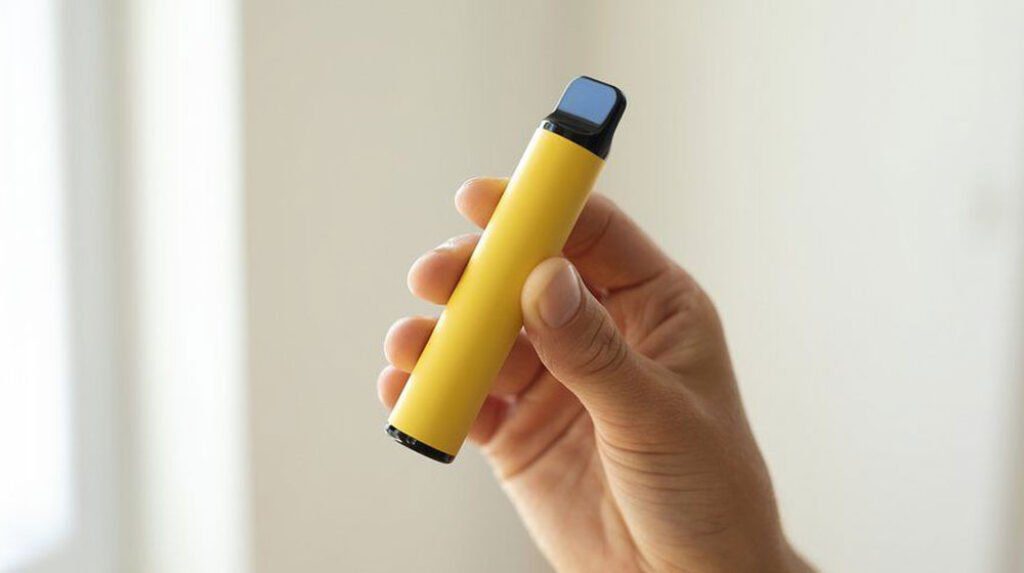
Why Your Brand New Disposable Vape Is Not Working
You just opened the package. You take a draw. Nothing happens. Or maybe a light blinks, but there is no vapor. Before you assume the device is dead, run through this checklist. In most cases, the fix takes under 30 seconds.
The reality is that modern disposables have more moving parts than they used to. Screens, power buttons, adjustable airflow, USB-C charging ports, multiple power modes. All of those features introduce new points of failure that did not exist on a simple Elf Bar 600. The troubleshooting process has changed along with the hardware.
Step 1: Remove All Packaging and Seals
This sounds obvious, but it is the number one reason a brand-new device will not fire. Most disposables ship with at least one, and sometimes two, protective barriers:
- A silicone plug in the mouthpiece. This prevents e-liquid from leaking during shipping. If it is still in place, air cannot flow through the device, and the draw sensor will not activate. Pull it out.
- A sticker over the airflow vent. Usually found on the bottom or side of the device, near the charging port. Same problem: no air gets in, the sensor stays off, nothing happens. Peel it off.
- A rubber band or wrap around the body. Some brands use a tight silicone sleeve to protect the device. It can partially block the airflow holes even if it looks like it belongs there. Remove it entirely before using.
According to multiple retailers, this single step resolves more “my new vape is broken” complaints than everything else combined. If you have not checked for these, do it first.
Step 2: Check for a Power Button or Lock
Older disposables were purely draw-activated. You inhaled, they fired. Many 2026 models still work that way, but a growing number have physical power buttons or on-screen swipe controls. If your device has a button:
- Press it five times quickly to turn the device on or off. This is the industry-standard toggle for most vape devices.
- Check if the screen shows a lock icon. Some devices ship in a locked state to prevent accidental activation during shipping.
- On screen-equipped models (Geek Bar Pulse, RAZ TN9000, Lost Mary, etc.), you may need to swipe or tap the display to wake it from sleep mode.
If the device is off or locked, it will not respond to your draw no matter how hard you pull.
Step 3: Make Sure You Are Not Blocking the Airflow
Disposable vapes draw air through small intake slots, usually on the bottom or sides of the device. If your fingers cover those slots, the airflow sensor cannot detect your inhale and the coil will not fire.
This is especially common with the larger, high-puff devices. Their bigger bodies mean you are more likely to grip them in a way that covers the air holes. Try holding the device more loosely, or shift your grip so your fingers are clear of the intake vents.
If you can see the airflow slots, make sure they are not clogged with debris or residue from manufacturing. A quick blow through the mouthpiece (with the device away from your face) can sometimes clear a blocked vent.
Step 4: Take a Few Primer Puffs
Even after you remove the seals and confirm the airflow is clear, some devices need a little help on the first draw. The wick inside may have dried out slightly during shipping, or the e-liquid may not have fully saturated the coil yet.
Take three to five short, gentle puffs without inhaling deeply. You are not trying to get a full hit. You are just getting the e-liquid flowing to the coil. After those primer puffs, try a normal draw.
On devices with adjustable airflow, open the airflow to the widest setting for the first few puffs. More air moving through the device helps the sensor register your draw and gets the coil firing consistently.
Step 5: Charge It (Yes, Even If It Is Brand New)
A brand-new disposable should come pre-charged, and most of them do. But not always. Batteries drain during storage, especially if the device sat in a warehouse or on a shelf for months before you bought it. High-puff devices with large screens and boost modes consume more standby power than the simple draw-activated bars of a few years ago.
If your device has a USB-C port, plug it in for 15 to 20 minutes and then try again. This applies even if the device is marketed as “pre-charged.” A partial charge is enough to get the device firing so you can confirm whether it works.
If the device does not have a charging port (most sub-5,000 puff disposables do not), and it shows no signs of life out of the box, skip to the section on returning it below.
Step 6: Check for Condensation or Flooding
Temperature changes during shipping can cause condensation to build up inside the device. If the air path is wet, the draw sensor may not register your inhale. You might also notice a gurgling sound or juice at the mouthpiece.
To fix it: hold the device mouthpiece-down over a tissue and tap it firmly on a hard surface a few times. Excess liquid should drain out. Wipe the mouthpiece clean and try again.
If the device is actively leaking from the bottom, the internal seals are likely damaged. That is a factory defect. Do not try to use it.
Step 7: Try a Different Draw Style
Auto-draw sensors vary in sensitivity. Some activate with barely any air movement. Others need a firm, sustained draw. If light, short puffs are not working, try a slower, longer draw. Hold it for two to three seconds. The sensor may simply need more airflow to trigger.
Avoid the opposite problem, though. Pulling too hard can flood the coil with e-liquid, leading to gurgling, spitting, or a muted hit. The sweet spot is somewhere between a gentle sip and a full-lung inhale.
What If None of That Works?
If you have gone through every step above and the device still shows no sign of life, you have a DOA (dead on arrival) unit. This happens. The defect rate varies by manufacturer, but no brand ships at exactly 0%. Quality control in the disposable vape industry is improving, but the sheer volume of devices produced means a small percentage will have issues.
Signs your device is genuinely defective:
- No light, no vapor, no response after removing all seals, charging, and attempting multiple draw styles.
- The device gets unusually hot while charging or immediately after you start using it.
- E-liquid is visibly leaking from the bottom of the device.
- The screen (if it has one) is cracked, blank, or displaying error codes.
- The device auto-fires (produces vapor on its own without you drawing on it). This is a safety issue. Stop using it immediately.
How to get a replacement:
- Return to the point of purchase. Most authorized vape shops will exchange a DOA device if you bring it back within a reasonable window (usually 24 to 48 hours). Bring your receipt.
- Contact the retailer online. If you bought from an online store, email their support with your order number and a description of the issue. Most reputable sellers will ship a replacement.
- Avoid unauthorized sellers. If you bought from a random social media ad or an unverified marketplace listing, getting a replacement may be difficult. This is one of many reasons to stick with authorized retailers.
How to Avoid Getting a DOA Device
You cannot eliminate the risk entirely, but you can reduce it:
- Buy from authorized retailers. Authorized dealers get stock directly from manufacturers or verified distributors. Gray-market devices may be counterfeit, improperly stored, or past their shelf life.
- Check the packaging. Legitimate products have batch codes, manufacturing dates, and tamper-evident seals. If the packaging looks cheap, faded, or resealed, be suspicious.
- Avoid extreme-temperature shipping. If you order online and the package sits in a mailbox in July or a freezing porch in January, the battery and e-liquid can degrade before you even open it.
- Test it right away. Do not wait weeks to try a new device. If it is defective, the return window closes fast.
For more on choosing a reliable device, see our list of the best disposable vapes.
Quick Diagnosis Table
| Symptom | Most Likely Cause | Fix |
|---|---|---|
| No vapor, no light | Seal still in place, or device off | Remove all plugs/stickers; press button 5x |
| Light blinks, no vapor | Dead battery | Charge via USB-C for 15-20 min |
| Gurgling, juice in mouth | Condensation or drawing too hard | Tap mouthpiece-down on tissue; draw gently |
| Screen blank or glitching | Low battery | Charge the device |
| Auto-fires on its own | Sensor malfunction (safety risk) | Stop using immediately; return it |
| Nothing works after all steps | DOA / factory defect | Return for replacement |
Safety Warning
If a brand-new disposable vape auto-fires (produces vapor without you drawing on it), stop using it immediately. Put it somewhere non-flammable and away from anything that could catch fire. An auto-firing device has a stuck or shorted sensor, and the battery can overheat. Do not try to fix it. Return it or dispose of it safely.
For guidance on safe disposal, see our guide to recycling used vapes.
Related Problems
If your device is working but you are running into other issues, these guides may help:
- Common Disposable Vape Problems and Quick Fixes , covers blinking lights, burnt taste, leaking, weak hits, and more.
- Why Is My Vape Lighting Up but Not Hitting? , deeper troubleshooting for devices that respond but do not produce vapor.
- What Is a Disposable Vape? , everything you need to know about how these devices work, their components, and the 2026 market.
Related: If your brand new vape is blinking instead of producing vapor, our why your disposable vape is blinking guide breaks down every blink code and tells you exactly what to do next.


Build your vape knowledge
Read more guides
Find explainers, how-to articles and reference material.
Open guide library →Compare vape products
Check specifications across the product database.
Open product data →Read hands-on reviews
See tested devices and documented trade-offs.
Read review coverage →