


You just opened your first Fifty Bar, took a puff, and the little screen lit up with a droplet, some colored bars, a percentage number, and a logo. Now you’re wondering what any of it means. Fair question. The Fifty Bar 20K display is compact, and nobody at the vape shop walked you through it.
The Quick Answer
The Fifty Bar 20K screen shows two things you need to track:
- Battery level (the percentage number)
- E-liquid level (the colored ring around the droplet icon)
That’s it. No puff counter. No wattage readout. No mode indicator. The screen is deliberately simple, which is either refreshing or frustrating depending on what you’re used to. For a breakdown of all available flavors by series, see our best Fifty Bar flavors ranking.
Screen Layout: Left to Right
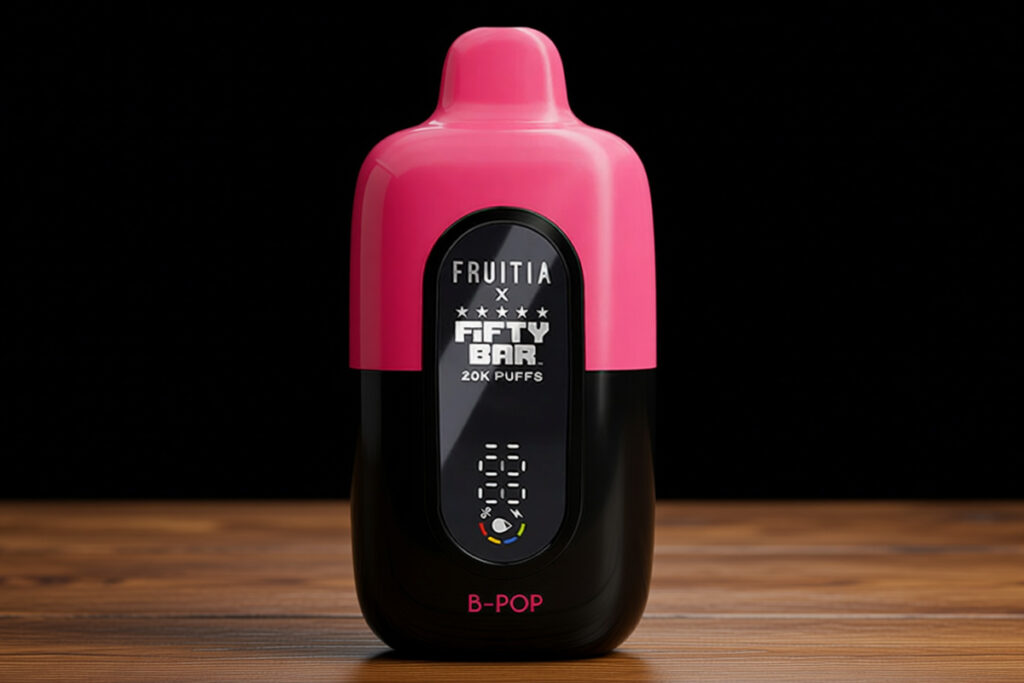
When you take a puff, the screen lights up for about 5 seconds. Here’s what you’ll see, from top to bottom:
Top: Fifty Bar Logo
The brand name in white text. Purely cosmetic. It tells you nothing about the device’s status.
Middle: Three White Wavy Lines
Decorative. They represent vapor or airflow. Not functional.
Bottom Left: E-Liquid Indicator (the important one)
This is where most people get confused, so pay attention.
The e-liquid indicator has two visual elements:
- A green droplet shape in the center. This is NOT the juice level indicator. It’s just a static icon. A lot of people glance at the green droplet and think their tank is full. It’s not. The droplet is always green regardless of how much juice is left.
- A colored ring around the droplet. This ring is the actual e-liquid indicator. It has four colored segments that disappear as the juice depletes:
| Color | Juice Level | What It Means |
|---|---|---|
| Green | 75–100% | Plenty of juice left |
| Blue | 50–75% | Half to three-quarters full |
| Yellow | 25–50% | Getting low. Start thinking about a replacement |
| Red | 0–25% | Almost empty. Order a new one |
Each color represents roughly 25% of the tank capacity. When all four segments are visible, you’re at or near 100%. When only the red segment remains, you’ve got maybe 500–1,000 puffs left.
The most common mistake: seeing the always-green droplet and assuming the tank is full. The ring is the indicator, not the droplet inside it. Vaping360’s reviewer made the same error initially, so you’re not alone.
Bottom Right: Battery Percentage
A straight-up number. “85” means 85% battery. “12” means charge it now. This is the simplest and most reliable part of the display.
The battery percentage is more accurate than the juice indicator. When it says 35%, you’ve got roughly 35% left. When the juice indicator says yellow, you might have anywhere from 25–50%. Treat the battery number as gospel and the juice colors as approximate.
How to Wake the Screen
This trips up a lot of new users: the only way to activate the screen is to take a puff. There is no button to press. No tap. No shake. You have to draw on the mouthpiece to light the display.
This is annoying if you keep multiple disposables around and want to check levels without inhaling. On devices with fire buttons (like the RAZ LTX 25K or Artery CL6), a single press wakes the screen. The Fifty Bar doesn’t have that option. You either puff or you don’t see the screen.
Workaround: Take a very short, light puff. You don’t need to inhale deeply. A quick draw on the mouthpiece is enough to trigger the sensor and light the display. You’ll get a tiny hit of vapor, but it’s better than nothing.
Charging Screen Behavior
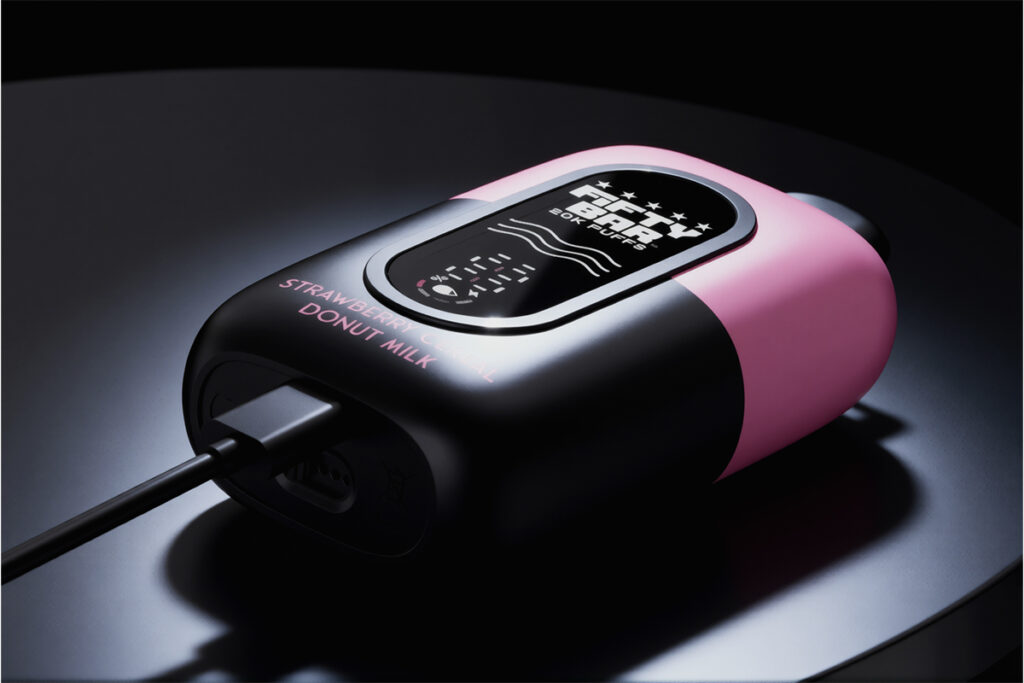
When you plug in the USB-C cable to charge:
- The screen stays illuminated the entire time. This is actually useful. You can glance at the device from across the room and see the battery percentage climbing without touching it.
- No pass-through charging. You cannot vape while the device is plugged in. If you try, nothing happens.
- Charging takes about 60 minutes from empty to full. In my testing, the percentage climbed roughly 30% every 20 minutes.
When the battery hits 100%, unplug it. The Fifty Bar doesn’t have overcharge protection issues, but no reason to leave it plugged in overnight.
What the Colors Mean at a Glance
If you don’t want to parse the ring segments every time, here’s the fastest way to read the screen:
Look at the ring around the droplet. The outermost visible color tells you your juice status:
- Outer ring is green: You’re good. Full tank.
- Outer ring is blue: Still fine. More than half.
- Outer ring is yellow: Heads up. Order a replacement.
- Outer ring is red: Last call. Maybe a day of vaping left.
- Ring is gone, only the green droplet remains: You’re running on fumes. The anti-burn technology will start producing thin, cool vapor to prevent dry hits.
Look at the battery number. Simple thresholds:
- Above 30%: No action needed.
- 15–30%: Charge within the next few hours.
- Below 15%: Charge now or the device will cut off mid-session.
Common Screen Issues
Screen won’t light up
Most likely: the battery is dead. Plug it in. If it still doesn’t light up after 10 minutes of charging, the device is defective. Contact the retailer for a replacement.
Less likely: the auto-draw sensor is blocked. This can happen if e-liquid condensation builds up in the mouthpiece. Try tapping the device gently mouthpiece-down on a paper towel to clear any pooling liquid.
Screen lights up but shows no juice level
The ring indicator has fully depleted. Your tank is empty or nearly empty. Time for a new device.
Battery percentage seems wrong
Battery indicators on disposables are approximate. A reading of “50%” might mean 45% or 55%. This is normal. The indicator becomes less accurate as the battery ages over weeks of use. Trust the trend (going down over time) rather than the exact number.
Screen is dim or hard to read
The Fifty Bar display is deliberately dim compared to competitors like the Geek Bar Pulse X. It’s readable indoors and in shade. In direct sunlight, it’s nearly invisible. This is by design. The dimmer screen saves battery. There’s no brightness adjustment.
How the Screen Differs Across Series
All Fifty Bar 20K series (Black, White, Midnight, Fruitia, Hidden Hills, Humble, Silver) use the same display hardware. The screen layout and icons are identical. The only visual difference is the device’s exterior color and the flavor name printed below the screen.
The original Fifty Bar (pre-20K, sometimes called the V1) did not have a screen at all. If you have a Fifty Bar with no display, you have the older model.
Tips for Getting the Most from Your Display
- Check levels at the start of each session. Take a quick puff, read the screen, and plan accordingly. Don’t wait until you’re out of juice at 11 PM with no backup.
- Don’t trust the juice indicator past the yellow zone. Once you hit yellow, the remaining estimate gets unreliable. Start carrying a spare.
- Charge when you hit 20%. The Fifty Bar’s 800mAh battery charges in about an hour. Don’t run it to zero. Charging from 20% to 100% is faster and better for the battery than deep-cycling from 0%.
- Watch for the anti-burn shift. When juice runs very low, the vapor will suddenly become cooler and thinner. That’s the anti-burn technology kicking in, not a screen error. It means you’ve got maybe 200–300 puffs of diminished flavor left before the device shuts down.
- The screen doesn’t show puff count. If you’re tracking your usage, you’ll need to estimate. A moderate vaper gets about 12–16 days from an 18mL device. Heavy vapers, 7–10 days.
Related Reading
- Fifty Bar 20K Full Review — our hands-on testing of battery life, flavor, and build quality
- Best Fifty Bar Flavors Ranked — every flavor across all 8 series, tested and rated
—
*WARNING: This product contains nicotine. Nicotine is an addictive chemical. Not for sale to minors. This review does not make health claims or represent vaping as safe.*



Build your vape knowledge
Read more guides
Find explainers, how-to articles and reference material.
Open guide library →Compare vape products
Check specifications across the product database.
Open product data →Read hands-on reviews
See tested devices and documented trade-offs.
Read review coverage →